Image to video is AI technology that makes a still picture move. With MagicBrew there are no prompts to write: upload any picture → pick an effect template → get a 1080p video in about 65 seconds. Portraits, pets, old photos, doodles, food, toys — they can all come to life.
When most people hear "AI video generation," they picture writing a long English prompt and fiddling with a dozen settings. The most fun part of image to video is exactly the opposite: you just throw in a picture, and the AI decides how it should move — and its answer is often more interesting than anything you would have imagined.
This article first explains what image to video actually is, then lists eight kinds of pictures that deliver a genuine surprise when you throw them in, and finishes with the three-step MagicBrew walkthrough.
What is image to video?
Image to video is AI technology that converts a single still picture into a short video: the AI first "understands" what's in the frame — where the person is, where the cat is, where the clouds are — and then works out natural, believable motion for those elements, so hair sways, eyes blink, and water flows.
There are two mainstream approaches. One asks you to write a text prompt describing the motion you want; the other is template-based — apps like MagicBrew package popular effects into ready-made templates you apply with a tap. For most people, templates are a far lower barrier: no need to learn how to "talk to the AI" — just pick a template that catches your eye and go.
Put simply: image to video turns "making a video" into "picking an effect."
8 kinds of pictures that will surprise you
In theory any picture can move, but these eight types produce results people can't help sharing:
1. Portraits and selfies
The classic move. A still portrait with a cinematic template — a blink, a smile, hair drifting in the breeze — turns an ordinary selfie into a short film with camera movement.
2. Pet photos
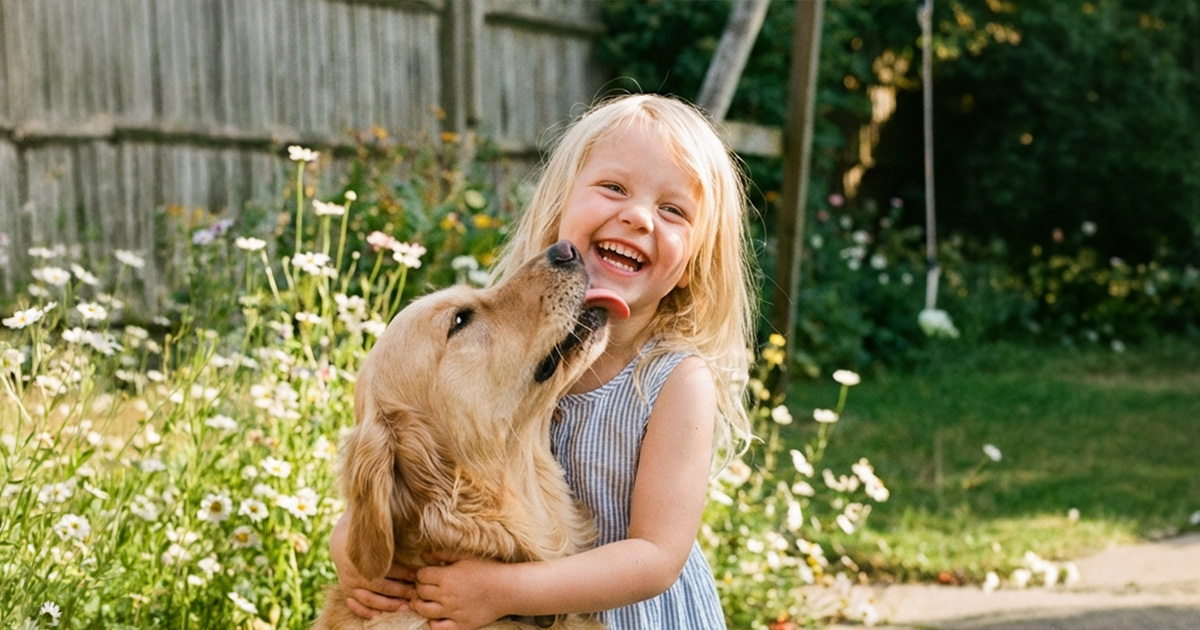
Photos of cats and dogs coming to life have an irresistible surprise factor — post an animated pet portrait and watch the engagement climb.
"Made animated portraits of my pets and they look adorable! The engagement on Facebook absolutely exploded. This app is incredible."
— MagicBrew App Store user review (4.8 stars on the App Store, 3,500+ reviews)
3. Old photos
This is the use case people most often describe as "goosebump-inducing": a faded family portrait or a black-and-white photo of a grandparent starts to move, and for a moment time flows backwards. One user shared that seeing a late relative seem to come alive again in an old photo was incredibly moving.
4. Kids' doodles
The dinosaur your kid drew blinks; their crayon sun starts to glow. We wrote a whole guide on this one: how to turn your kid's drawing into animation.
5. Action figures, LEGO, and toys
Snap a photo of the figures on your desk or a LEGO scene and throw it in — the toys come alive as if someone cast a spell on them. Collectors' favorite trick.
6. Food photos
Steam curling off a bowl of ramen, latte art slowly swirling — food photos go from "that looks tasty" to "I can almost smell it."
7. Landscapes and travel photos
Clouds drift, waves roll, waterfalls flow. Turn a landscape from your travel album into a moving clip and the memory feels present-tense again.
8. Holiday greeting cards
Turning a family photo or pet pic into a moving holiday greeting is the ultimate replacement for recycled greeting graphics. The full how-to is here: how to make AI animated greeting cards.
All eight ideas share a single common thread: if the picture has a subject, the AI has something to work with. Start with the photo in your camera roll that means the most to you.
Why is every generation a surprise?
Because the AI generates motion based on what's actually in your picture, rather than pasting on a canned animation — the same template meets a different picture and moves in a completely different way, and the same picture under a different template becomes something else again.
Add the fact that MagicBrew's template library is updated daily, with hundreds of effects to mix and match, and image to video takes on the thrill of opening a mystery box: you roughly know what's coming, but exactly how it moves — which detail comes alive — isn't revealed until about 65 seconds later. When it's done, slide the before-and-after preview back and forth; that's when the "it's alive" moment really lands.
So the veteran advice is: don't stop at one try — run the same picture through a few templates, because the surprise often shows up on the second or third attempt.
3 steps: turn any picture into a video
The whole process takes about a minute: one picture, one template, and the AI handles the rest. Here's how it works:
1Throw in any picture
Pick a picture from your camera roll or take one on the spot. Not sure which will work? Start with your favorite — pictures with a clear subject and sharp detail move the most naturally.
2Pick an effect template
Browse hundreds of templates updated daily and tap to apply — no prompts to write, period. Can't decide? Go with the day's trending template, or grab a seasonal effect from the holiday section.
3Let the AI surprise you
Most videos are ready in about 65 seconds (generation runs in the background, so you can browse the next template meanwhile), producing a 5–10 second clip at up to 1080p Full HD. Share it directly to Instagram (including Reels), Threads, and Facebook, or save it to your camera roll for later.
One picture, one template, one minute — that's the entire barrier to entry for image to video.
Frequently Asked Questions (FAQ)
What is image to video?
AI technology that converts a still picture into a moving video: the AI understands the picture and works out natural motion for the people, animals, or objects in it. In MagicBrew, pick a picture, apply a template, and get a 1080p video in about 65 seconds.
Do I need to know how to write prompts?
No. MagicBrew is template-based — pick an effect template and tap to apply, and the AI generates motion from the content of your picture automatically.
Does any picture work?
Almost any: portraits, pets, old photos, doodles, food, landscapes, and toys all work. Pictures with a clear subject and sharp detail give the best results.
How long does generation take?
Most videos are ready in about 65 seconds. It runs in the background, so you can keep browsing templates or queue up the next one.
What's the video quality and length?
5–10 second clips at up to 1080p Full HD — ready to post straight to Instagram Reels, Threads, and Facebook.
Does it cost money?
Free to download with free credits included; for more generations there are credit packs ($2.99 / $5.99 / $13.99) — no subscription.
Can the same picture make different videos?
Yes — switch templates and you get a brand-new result. That's the most fun part: try a few and the surprises keep coming.
Every picture in your camera roll is a video waiting to happen
Download MagicBrew for free, throw in any picture, and see what surprise the AI hands you a minute later.
 Download Free on the App Store